
What you will be able to doViewers know how to join and move, while you can see the active seats, queue and next step.
Before you start
- A tested game source or scene in your streaming software.
- A chosen mode: local, computer, private online or current LIVE.
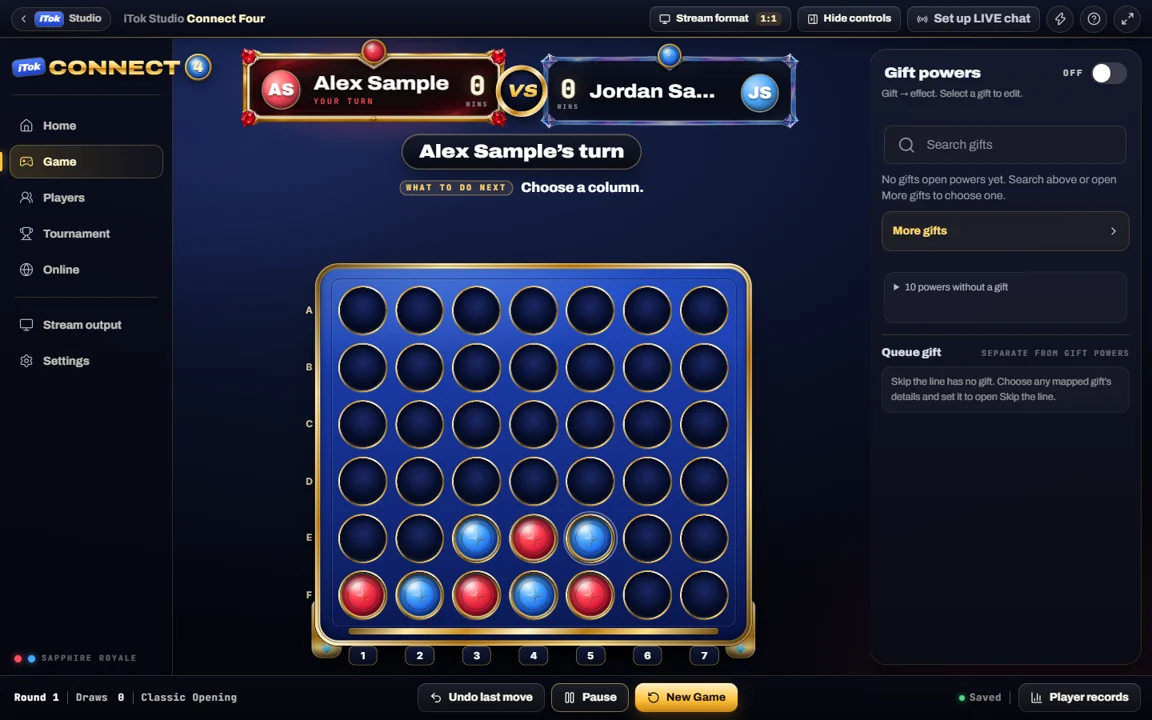
Prepare without a live audience
Start in a suitable practice mode to learn the turn controls, seat controls and result state. A board moving locally does not prove that your TikTok chat is being read.
Choose the output presentation that fits the show. Board-only emphasizes the game. The window-style output can show the game’s selected views. Check the configured following behavior instead of assuming a separate source mirrors every host panel.
Open the queue for a LIVE game
- Confirm the intended TikTok account is LIVE and events are arriving.
- Select the current-LIVE game mode and check its chat-input and pause controls.
- Read the command guide generated by the current game settings. Tell viewers those commands, including how to join and choose a column.
- Inspect who is in each seat and who is next. Use the visible host controls to release a seat or remove a queued player when needed.
- Check the board, turn instruction and queue in the streaming preview at phone size before running a full game.
Explain what happens at the result
The winner-stays flow releases the losing seat and advances the eligible queue. Draw rematches alternate the starting player. Watch the centered result or waiting guidance for the actual next action rather than giving a player instructions from an earlier round.
If you enable powers or admission conditions, explain those rules before the first turn. Changing command text does not itself start a live game or open chat input.
Investigate a delayed move
- Chat message not received: check the connection and event input.
- Message received, no move: check the player’s seat, turn, configured command and pause state.
- Move shown in iTok before OBS: compare the game source and its connection.
- OBS is current, public video is late: measure the broadcast delay separately.